
When a mid-sized logistics company approached Dev Labs, they had a problem that's painfully common: their business had outgrown their tools.
Inventory was tracked in spreadsheets. Orders were managed via email threads. Invoicing required logging into three different platforms. And every month, their operations manager spent an entire week just reconciling data across systems.
Here's how we solved it.
The Challenge
Company Profile:
- 85 employees across 3 locations
- 2,000+ orders processed monthly
- 150+ vendor relationships
- Annual revenue: $12M
Pain Points:
- No single source of truth for inventory
- Order processing required 6 manual steps across 4 tools
- Financial reconciliation took 40+ hours monthly
- No real-time visibility into operations
- New employee onboarding took 3 weeks just to learn the tool ecosystem
"We were drowning in tabs. Every day felt like a fight against our own systems." — Operations Manager
Our Approach
Phase 1: Discovery & Process Mapping (2 Weeks)
Before writing a single line of code, we spent two weeks embedded with the client's team:
- Interviewed 12 stakeholders across departments
- Mapped every existing workflow from end to end
- Identified bottlenecks, redundancies, and automation opportunities
- Documented integration requirements with existing tools
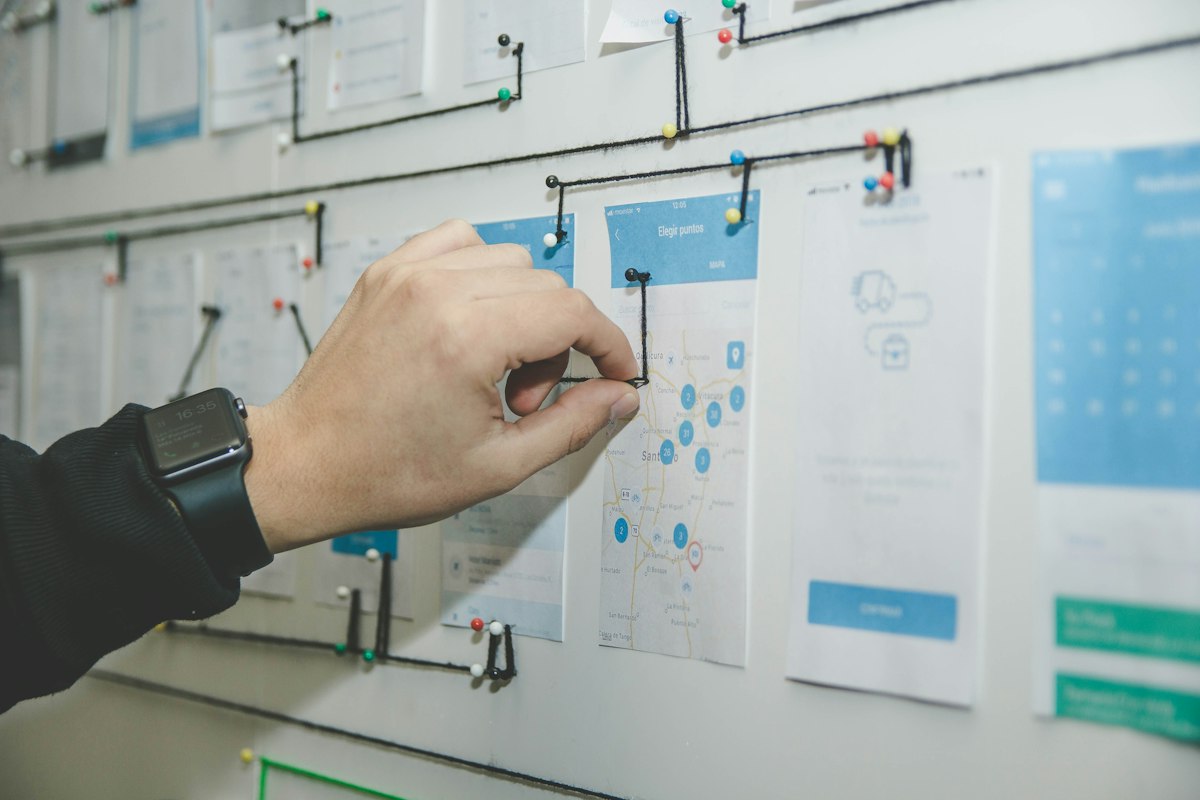
The result: a comprehensive process map showing exactly where time was being wasted.
Phase 2: Architecture & Design (3 Weeks)
We designed the system around four core modules:
| Module | Function |
|---|---|
| Inventory | Real-time stock tracking across all warehouses |
| Orders | End-to-end order lifecycle management |
| Finance | Automated invoicing, payments, and reconciliation |
| Analytics | Live dashboards with KPIs and alerts |
Tech stack chosen:
- Frontend: React with TypeScript
- Backend: Node.js with Express
- Database: PostgreSQL with Redis caching
- Deployment: Docker containers on AWS
Phase 3: Development (8 Weeks)
We built in 2-week sprints with weekly client demos. Key features included:
Smart Inventory
- Barcode scanning integration
- Automatic reorder point alerts
- Multi-warehouse stock transfers
- Supplier lead time tracking
Order Automation
- Single-click order creation from templates
- Automatic status updates via webhook integrations
- Customer notification pipeline
- Returns processing workflow
Financial Intelligence
- One-click invoice generation
- Automated payment matching
- Real-time P&L by client, product, or region
- Export-ready tax reports
Executive Dashboard
- Real-time KPIs visible at a glance
- Anomaly detection alerts
- Customizable widgets per role
- Mobile-responsive for on-the-go access
Phase 4: Migration & Training (2 Weeks)
We didn't just build it — we made sure adoption was seamless:
- Migrated 3 years of historical data
- Built role-based access control (warehouse staff vs. finance vs. executives)
- Created video tutorials for each module
- Provided 2 weeks of on-site support during rollout
The Results
After 3 months of operation:
Manual data entry:       -87%
Order processing time:   12 minutes → 2 minutes
Monthly reconciliation:  40 hours → 3 hours
Employee onboarding:     3 weeks → 3 days
Error rate:              12% → 0.8%
Total time saved: 200+ hours per month — equivalent to hiring 1.25 full-time employees, at a fraction of the cost.
Key Lessons Learned
1. Process First, Technology Second
The most important phase was discovery. Understanding how people actually work (not how they think they work) revealed the biggest optimization opportunities.
2. Build for Adoption, Not Just Function
A system nobody uses is worse than no system. We invested heavily in UX, onboarding, and training to ensure the team actually embraced the change.
3. Start Core, Expand Later
We deliberately scoped the MVP to the four most impactful modules. Additional features (HR, project management, CRM) were planned for Phase 2 based on real usage data.
4. Automate the Tedious, Empower the Strategic
The goal was never to replace people — it was to free them from repetitive tasks so they could focus on growing the business.
Is Your Business Ready for a Custom ERP?
If your team spends more time fighting tools than doing actual work, it's time to talk. A custom ERP isn't just for large enterprises — mid-sized businesses see the biggest ROI because the efficiency gains are proportionally massive.